Find the fault.
The shell, monitoring, tickets and IRC all see the same simulation. Follow the symptoms to the cause.
$ tail /var/log/messagesOne Linux box. Five paying customers.
And the whole internet to keep happy.
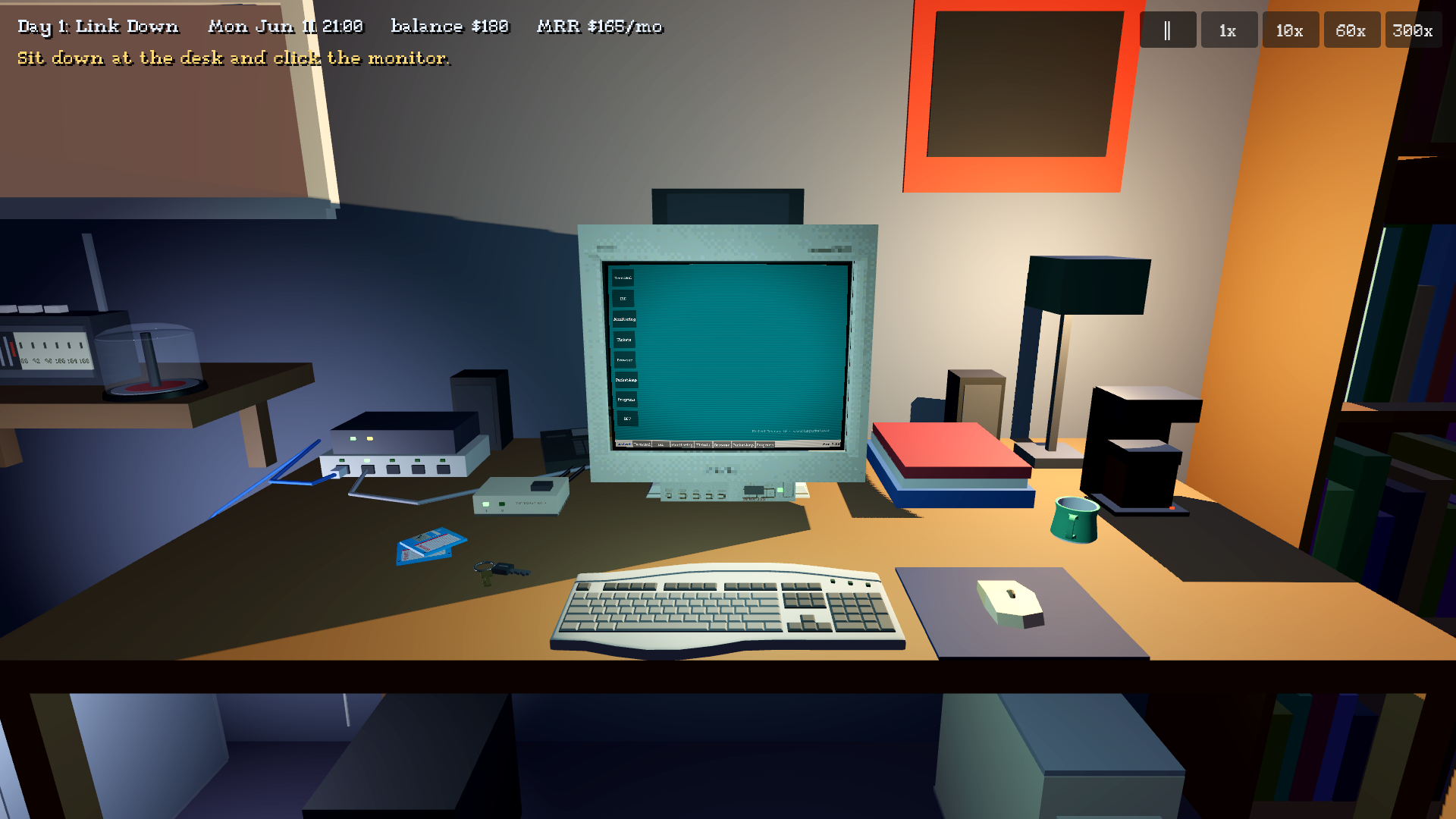
It’s June 2001, and you’re running a web host out of your bedroom.
There’s a Linux box under the desk, an SDSL line, and five customers who trust you with their websites. Read the logs, ask IRC, trace the fault. Sometimes the answer is a shell command. Sometimes it’s the cable hanging out of the switch.
Too Many Packets brings first-person exploration and a hands-on hosting business into a home full of distractions. Make it through the night. Build something worth keeping online.
MYST MEETS HACKNET MEETS PC BUILDING SIMULATOR.The shell, monitoring, tickets and IRC all see the same simulation. Follow the symptoms to the cause.
$ tail /var/log/messagesReseat a cable. Swap a dying disk. Buy a fan before the heat takes your servers down.
root cause: the physical worldKeep customers happy and the bills paid. Grow from a bedroom box to your first space at the colo.
next stop: cage 14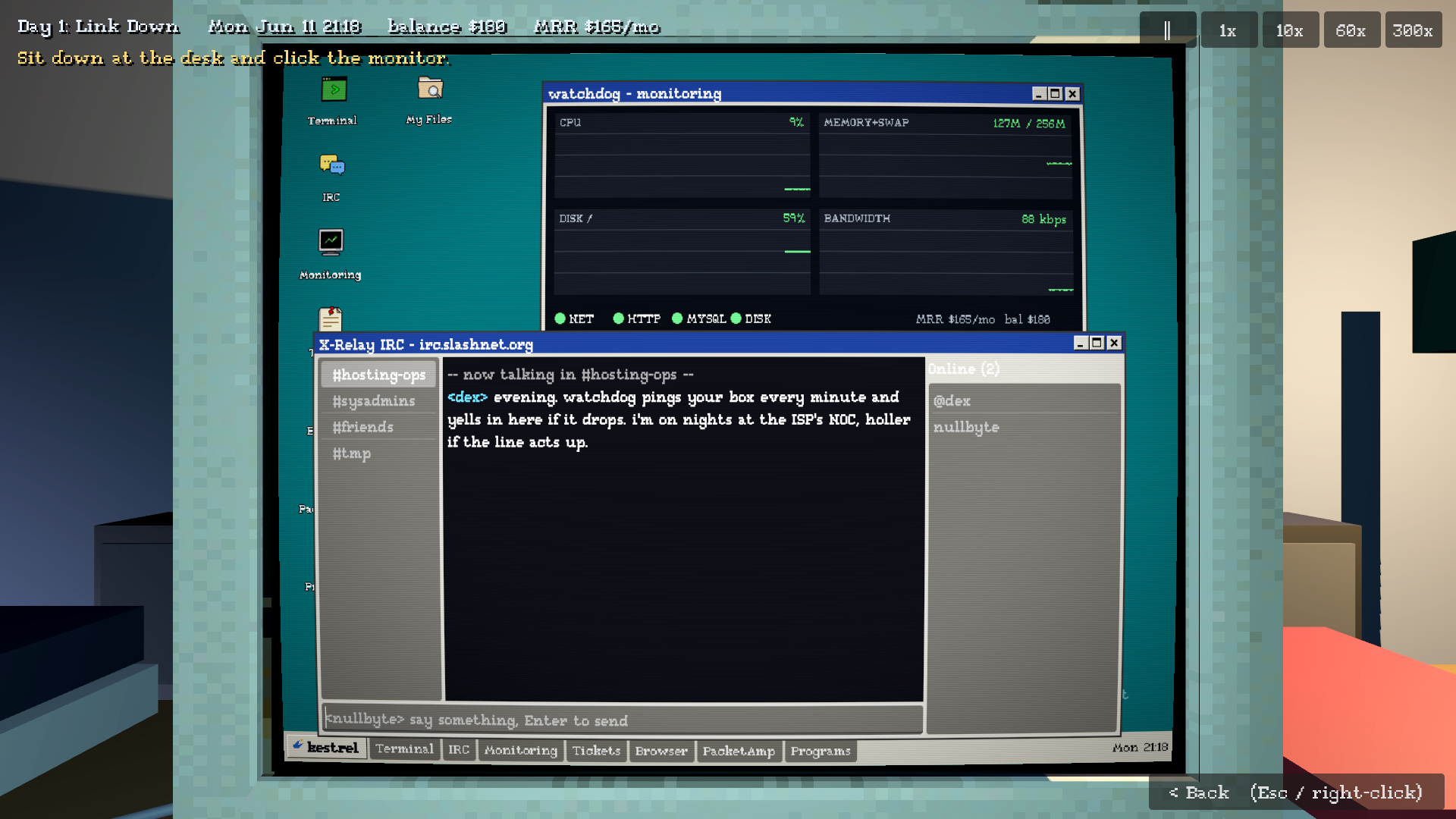
Rain on the window. Fans under the desk. Someone on IRC who’s seen this before.
Apache, MySQL, patch cables and late-night troubleshooting. An early-2000s desktop you can actually use, in a room you can step back into.
Clip a golf-ball webcam onto the monitor, cut your clips into a home movie and post it on a customer’s site. Then watch the downloads fill your line.
Old hands will recognize the tools. Newcomers have logs, manuals and IRC to help them learn. Curiosity goes a long way.
BRING COFFEE. THE SERVER DOESN’T SLEEP.We’re starting with the game’s home on the web. Over time, this will also become a home for its multiplayer features.
Open the member portalGood company.
Same late nights.
The alpha’s Multiplayer sign-in connects to a hosted beta backend. Signed-in players can register available domains, edit HTML in Packet IDE or the terminal’s vi editor, rsync it to their bedroom or colo server, configure an Apache vhost through SSH, and browse each other’s pages in the game. Saved, loaded sites resume hosting after sign-in when their simulated server and network are running. Each account receives unique simulated WAN IPv4 addresses for its bedroom and colo gateways, with private LANs inside 10.0.0.0/8 and shared DNS for player domains. The member portal is live at packets.f0rkznet.net and provides registration, sign-in, downloads and account settings through this same backend, with visible progress and success or error feedback. Signed-in games report basic health diagnostics; server operators can review QA reports and uploaded saves and apply campaign money adjustments through a private administration interface. This is still a development build; public web lobbies are not available yet.
The game is in alpha development. A public download, store page and release date haven’t been announced here yet.
Curiosity is a good start. In-game manuals, monitoring and IRC offer clues, while familiar shell commands give experienced players room to dig deeper. Security advisories and package updates are part of keeping the servers running. Desk and server terminals support saved aliases and shell scripts, including scheduled cron jobs. The desk PC’s desktop is itself a window-manager process: ps lists it, killing it drops you to a text console until you type startx, and its Start menu, taskbar, colours and keys are set in a plain-text config file or a settings program. CVS repositories and version-control customer jobs are available on the simulated servers.
The current alpha spans five months of a hosting business, from the bedroom to colocation: customers, outages, hardware upgrades, backups and whole-disk images for getting a box back after a break-in, game servers rented by clans, and bills to pay. The desk PC supports an optional AGP 3D-card upgrade, and a shareware frame counter from an in-game download site shows what it does for the desk games’ frame rates. The same site offers GIBSON, a freeware green-screen terminal skin that runs the desk shell’s commands and adds a modem dialer, a small BBS door game and canned lines from its sysop. The desk’s 5.1 speakers come with SurroundLab, a utility that tests each speaker and lets you move a sound around the room. A spiral journal on the desk keeps the lore straight for you: it starts with your notes from before day one and writes in, dated, the sites you visit, shows you download or watch, people you meet on IRC, new servers and customers, with a hand-drawn map of your network and town that follows your setup. The bedroom door leads to a living room with a couch, recliner and rear-projection TV; switching the TV on draws household power and warms that room. At home, Arrange furniture shows the bedroom or living room from above to move, turn, put away and place furniture, and Decorate walls shows one wall face-on to hang, move, resize, tilt and layer posters; the computer, servers, TV and doors stay where they are, and the layout is saved with the campaign. A starter box of furniture and posters comes with the house; there is no furniture store yet. Click the Kestrel TV console to power it on and open its dashboard. Mouse, keyboard and controller navigation let you explore its panels, open the tray, adjust the screen border, check controller input and run a 5.1 speaker test round the living room. The PC’s Kestrel TV Media Manager shares music and video (Ogg Theora everywhere; MKV, MP4, WebM and AVI on Windows and Linux) for buffered streaming without TV disk usage, or copies them to its 5 GB drive for playback with the PC off. TV audio continues directionally and muffled through the bedroom door. Personal media folders, including OS-mounted network shares, are opened only on request; those files stay local. Kestrel TV plays its own console games: buy them on the store’s KESTREL TV rack, take a disc from the spindle by the TV, install it to the console’s 5 GB drive (shared with media copies; one or two games fit), then play it full screen with the keyboard and up to four controllers, including the split-screen racers, fighters and party games that no longer appear on the desk PC. The console sits on the same home network the PC’s video streams over: while the house power and internet line are up, KESTREL LINKUP, a controller-driven server browser on the TV, lists the console games’ online sessions from the same server lists their PC versions use, so you can join or host from the couch. An optional homebrew sideline is also included. A softmod save is available from an in-game scene site, IRC or the file-sharing client (some copies there are fakes or a trojan). Burn it to a CD-R on the desk PC and load it through one console game’s save import to install a text-menu custom dashboard. After you set up a share on the simulated www server with mkdir, a config file and a service, it copies your console discs to that share and plays them without using the console’s 5 GB drive. Accepting an official system update removes it. New Game offers a real-time clock, where one game minute takes one real minute and a night shift lasts hours; the speed buttons still skip ahead. Byte Barn’s music shelf includes “Five Voodoos Deep,” a $5 f0rkz CD single with its original cover art; load it in the PC’s tray and rip it into PacketAmp. The game is still being tested and refined.
The hosting-business campaign is single player. Some games on the simulated desktop already have their own online play, and the online games for the living-room Kestrel TV console join, host and list on the same in-game server lists from the TV. The title-screen Multiplayer button provides an editable Service address for selecting a shared backend, plus account sign-in and registration. Use https://packets.f0rkznet.net for the hosted beta; after switching from a development service, sign in again. New installations use this service by default, with an optional Remember me setting for up to 30 days on this device. Signed-in usernames become the player’s IRC and Usenet alias and desk-terminal username. Shared player chat includes #tmp and private personal channels with invitations and persistent operator roles, plus operator, kick and ban commands. A right-hand online list puts operators first, then names alphabetically; campaign channels also show currently active scripted characters. With a hosted beta backend, Programs → Domain Registrar handles domain ownership. Packet IDE and a vi-style terminal editor save local files; vi also edits uploaded HTML and vhost configs over SSH. Terminal starts on the desk PC and uses SSH, rsync and Apache vhosts to publish player webpages, or edit them in PageSmith once a vhost is set up. Players can register any valid, available domain, including historical names. Browser tabs keep campaign sites, player webpages and historical archive pages separate, with Back, Forward and Home navigation. Programs → The Gaming Annex is a desk-PC lobby: chat rooms that use the signed-in username (or the desk name), a server browser that lists live sessions from each online desk game’s existing lobby list and joins one in its game, and Hearts, Spades and Chess tables played online or against bots. Its chat rooms and tables are hosted by players’ own PCs through the same lobby list and relay; the account does not authenticate them, and account-linked matchmaking and campaign co-op are not implemented. In the campaign, the simulated www server can run a real dedicated server for HELLCORE ARENA or a LANTERNHOLD realm from its terminal: it runs inside the player’s own game, other players join it from the same in-game server lists, and the simulated box is charged CPU, memory and upload for each player. This website’s multiplayer hub is a future development step; it isn’t available here yet.
Keep the lights on.
And the sites up.